The platform is designed for researchers who need structured, exportable data on US power plants. Filter to any subset, export as CSV or JSON, and use shareable URLs as citation-ready references to your exact dataset.
Analyze solar deployment trends by technology
“How has solar panel technology evolved — fixed-tilt vs single-axis tracking, crystalline silicon vs thin-film?”
Filter to solar
On the Explore page, set Fuel Type = Solar, Status = Operating. The KPI bar shows the total count and capacity.
Export the filtered set
Click the export button and choose JSON or CSV. The export includes all columns visible in the table plus additional metadata.
Load in a notebook
In Python/pandas, load the exported file. Group by operating year and technology to see trends.
import pandas as pd
df = pd.read_csv("powerplantsinfo_solar_operating.csv")
trends = df.groupby(["operating_year", "technology"]).agg(
    plants=("plant_id", "count"),
    total_mw=("capacity_mw", "sum")
).reset_index()Drill into engineering specs
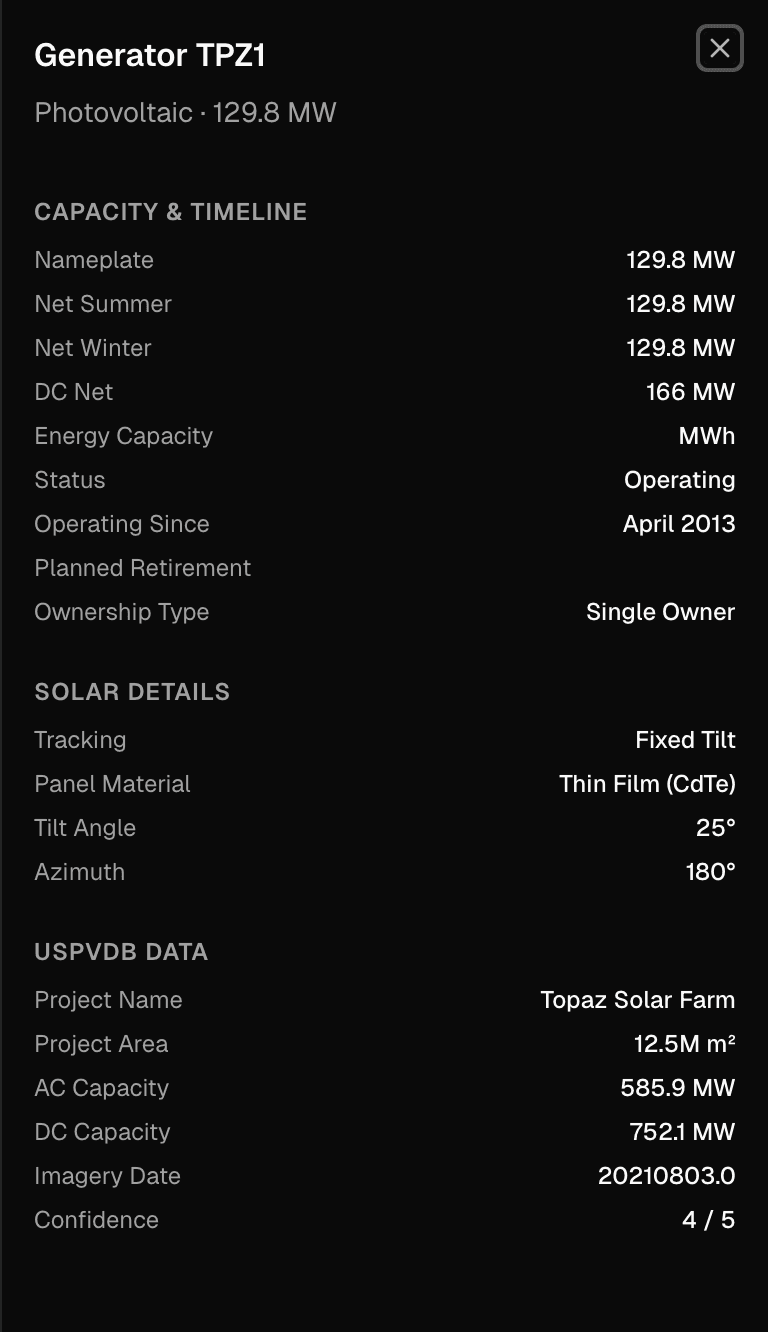
Click any solar plant on the Explore table. In the Engineering section, see generator cards with panel specs: tracking type, tilt/azimuth, bifacial, module technology, and USPVDB site classification.
Key insight
USPVDB integration gives panel-level specifications for 75% of solar generators — tracking type, module technology, tilt angle, bifacial adoption, and even site classification (brownfield, agrivoltaic, landfill). This granularity is unavailable from EIA alone.
Study wind turbine evolution and repowering
“How have wind turbine specifications changed over time? Which plants have been repowered?”
Filter to wind
On the Explore page, set Fuel Type = Wind. Export the full set for analysis if needed.
Check turbine specs
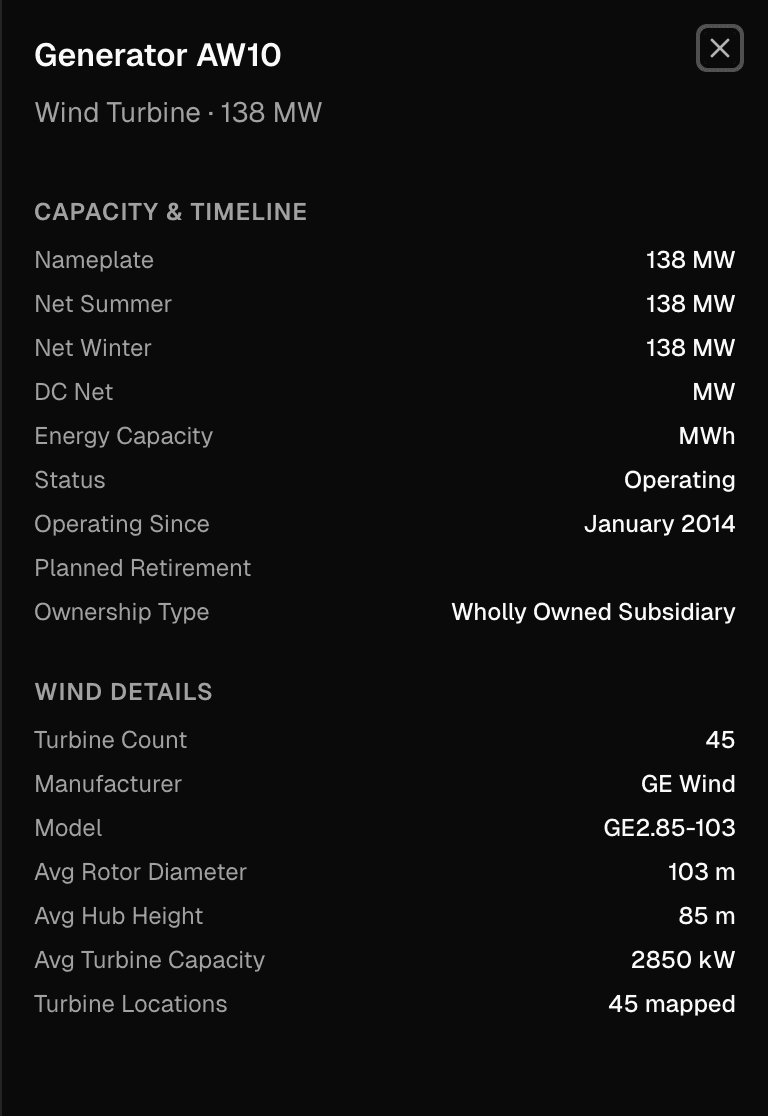
Click any wind plant. The Engineering section shows individual turbine cards with hub height (m), rotor diameter (m), manufacturer, model, and capacity. If the plant has been repowered, you'll see a “Retrofit Year” field on the updated turbines.
View turbine locations on the map
On the plant detail page map, toggle the “Turbine Locations” layer. Individual turbine positions from USWTDB appear as dots on the map — useful for layout analysis and visual verification.
Key insight
USWTDB provides individual turbine data for 76,000+ turbines: manufacturer, model, hub height, rotor diameter, and retrofit year. Plants that have been repowered show different vintage turbines at the same site — visible in the generator cards and on the map.
Export data for external analysis
“I need a clean dataset of all operating solar plants in California with generation data for a research paper.”
Build your filter
On the Explore page: Fuel = Solar, State = CA, Status = Operating, Data Availability = Has Generation. The KPI bar confirms the count and total capacity.
Verify before exporting
Scan the table. Sort by capacity to ensure the expected large plants appear. Check that the count matches your expectations.
Export and use the URL
Export as CSV for immediate use. Copy the browser URL — it encodes the exact filter state. This URL is your citation-ready data source.
Cite and share the URL
The shareable URL encodes the full filter state. Include it in your paper's methodology section — reviewers can click the link and see the exact dataset with the latest data. For programmatic or bulk data access, contact divy2023@gmail.com.
Key insight
Every filter combination produces a shareable URL. Share it in your methodology section and reviewers can reproduce the exact dataset. Filter, verify, export — then cite the URL for reproducibility.
Analyze interconnection queue attrition by region
“What percentage of proposed projects actually get built? How does this vary by ISO?”
Open Explore in Queue mode
Switch to Queue mode and filter by a specific ISO — for example, PJM. Note the total project count and aggregate capacity in the header.
Compare Active vs Withdrawn
Toggle the Status filter between Active and Withdrawn to compare counts. The ratio gives a rough attrition rate for this queue. Export both views for offline analysis.
Examine individual project timelines
Click into individual projects to see time-in-queue, current study phase, and proposed COD. Projects that have been in queue for 5+ years without an IA are at higher risk of withdrawal.
Check ISO-specific context
On any project page, expand the ISO process accordion to see documented withdrawal rates, recent queue reform status (e.g., PJM's first-ready-first-served transition), and typical study durations. This context frames the numbers you see in the aggregate.
Key insight
Queue attrition is one of the most studied problems in US energy policy. The platform provides project-level data that aggregate reports cannot — individual timelines, status transitions, and matched EIA plant outcomes.
What's coming
Planned
Time-series generation data export — monthly MWh and capacity factor as downloadable CSV per plant or for filtered sets. Expanded export formats including Parquet for large datasets.
Exploring
Citation-ready data packages with DOI-linked versioned snapshots. A public data API for programmatic access. Natural language queries — ask questions like “total solar capacity in Texas by year” and get structured results without building filters manually. Interested in these features? Let us know.